How to Redeem Defend A Balut Codes
Be ready before the first verified promo drop — exact paste rules, UI tips, and what to do when a code fails.
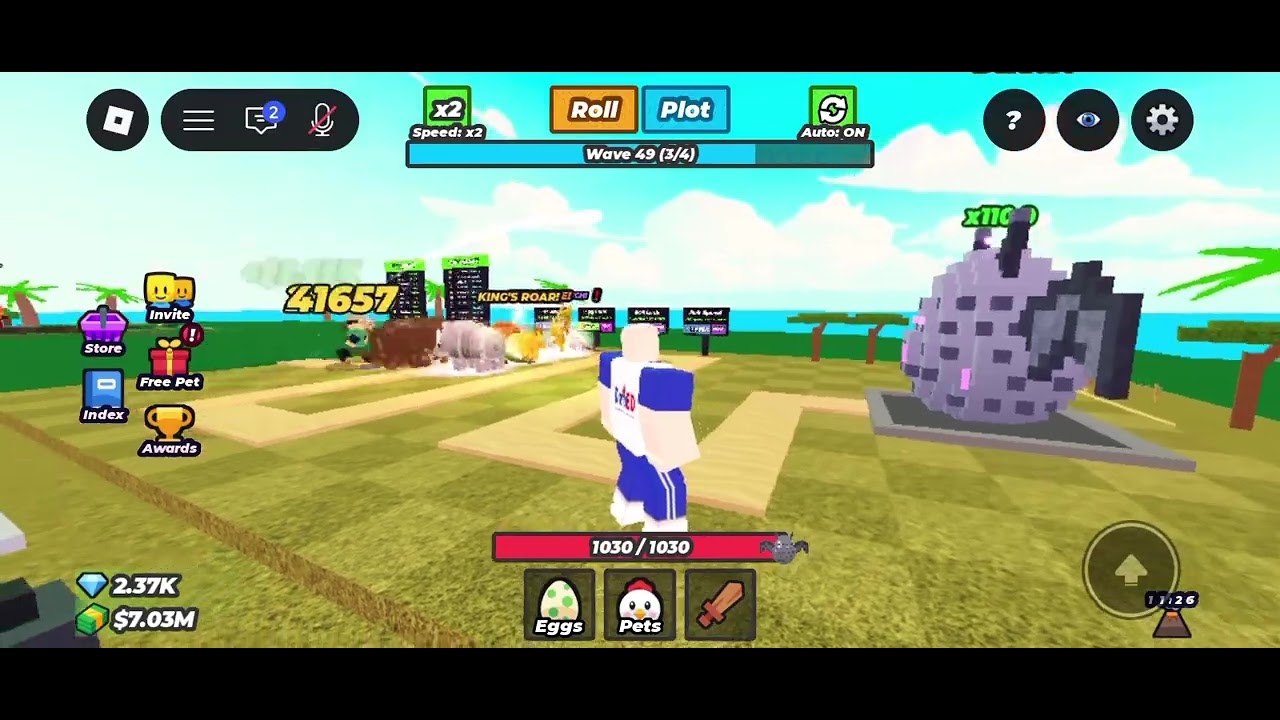
Redeeming codes in Defend A Balut should take under a minute once the developers publish a real string. This guide walks through the expected flow for DoggyPet’s Roblox experience so you are not hunting menus while a limited drop expires. Pair it with the live status on the Codes Hub.
Before you redeem
- Confirm the code was posted for Defend A Balut (PlaceId
89227745668441), not a lookalike title. - Launch from the official Roblox page or your continue list — avoid shady “private server” ads that ask for login details.
- Play on a stable connection; mid-redeem disconnects sometimes eat the confirmation toast even when the reward later appears.
- Know what you are hoping to receive (cash, eggs, luck boost, cosmetics). If a chat code promises “admin pets,” treat it as fake until the Codes Hub verifies it.
Step-by-step redemption
Exact button labels can shift after patches (the game is still young — created 12 November 2026), but the pattern in this genre is consistent:
- Join a Defend A Balut server (max 6 players).
- Look for a Codes, Rewards, Gift, or Shop button on the main HUD — often a ticket, present, or gear icon near other menus.
- Open the panel and find the text field labeled for promo / redeem codes.
- Type or paste the code exactly as published. Watch for letter O versus zero, uppercase requirements, and trailing spaces.
- Press Redeem / Submit and wait for the success toast.
- Check the reward destination: currency counter, egg inventory, luck meter on your current egg, or Index cosmetics.
- If nothing appears, leave and rejoin once, then re-check inventory before assuming failure.
Keep one trusted tab open with the Codes Hub so you are not relying on blurry Discord screenshots.
Common failure reasons
| Message / symptom | Likely cause | What to try |
|---|---|---|
| Invalid / wrong code | Typo, wrong game, or expired | Recopy from an official source; never from random chat |
| Already redeemed | You claimed it earlier on this account | Move on — most codes are once per account |
| Expired | Event window closed | Remove it from your list; wait for the next drop |
| No response | UI lag or server desync | Rejoin, retry once, then stop |
| Success but no item | Reward applied to luck/currency quietly | Check egg luck, cash, and Index |
Safe redeem habits
- Never enter your Roblox password into a website that claims to auto-claim codes.
- Never download an executor “just to redeem faster.” That is malware territory — read the Scripts Hub disclaimer if someone pressures you.
- Prefer codes pasted in the Roblox description, DoggyPet group wall, or linked official Discord over TikTok overlays without dates.
- After a major patch (for example the refresh around 27 November 2026), the Codes button may move — skim Updates if the old hotspot is gone.
What codes usually unlock in this genre
While Defend A Balut has not published a verified list yet, hatch / TD hybrids typically gift:
- Soft currency for early placements
- Free egg rolls or hatch tickets
- Temporary luck multipliers that stack with wave kills
- Cosmetics or Index progress boosters
Those gifts matter because every enemy your pets beat on the path adds luck toward a heavier, stronger hatch, and bosses every 15 waves gate new biomes. A small code can shave a painful early loop. Still, build real skill with the beginner guide, defense guide, and hatch guide so you are not stuck when the freebies end.
After a successful claim
- Note the reward so you know whether to spend it immediately or save for a biome push.
- If you received luck or an egg, decide whether to hatch now or keep defending — see luck system.
- Update your personal checklist; do not spam the same code.
- Continue toward Golden / Rainbow Index goals covered in Golden & Rainbow pets.
Still cannot find the Codes UI?
New experiences sometimes hide redemption behind a shop tab or a floating NPC. Rotate the camera around the lobby / balut area, open every gear icon once, and check patch notes. If DoggyPet relocates the button, we will note it on the Codes Hub and Updates Hub. You can also ask in a public server chat — but verify any code string against official text before redeeming.
This page will stay focused on how to redeem. For the live table of working versus expired strings, always return to Codes.
Frequently Asked Questions
Quick answers to the most common Defend A Balut questions.
Where is the codes button in Defend A Balut?
Look for a Codes, Rewards, Gift, or Shop control on the main HUD — often a ticket or present icon. Labels can move after updates, so check the shop and gear menus if the old spot is empty.
Do codes work on mobile and desktop?
Yes. Redeem on the same Roblox account from any supported device. Paste carefully on mobile to avoid extra spaces.
Can I redeem the same code twice?
Almost never. Most Roblox promo codes are once per account. A second attempt usually returns already redeemed.
Is it safe to use a third-party code redeem website?
No. Only redeem inside the Roblox experience. External claim sites are a common phishing pattern.
What if the code is valid but I see no reward?
Rejoin once and check currency, egg luck, inventory, and Index. Some rewards apply quietly to luck meters instead of spawning a visible item popup.